
Huge digits
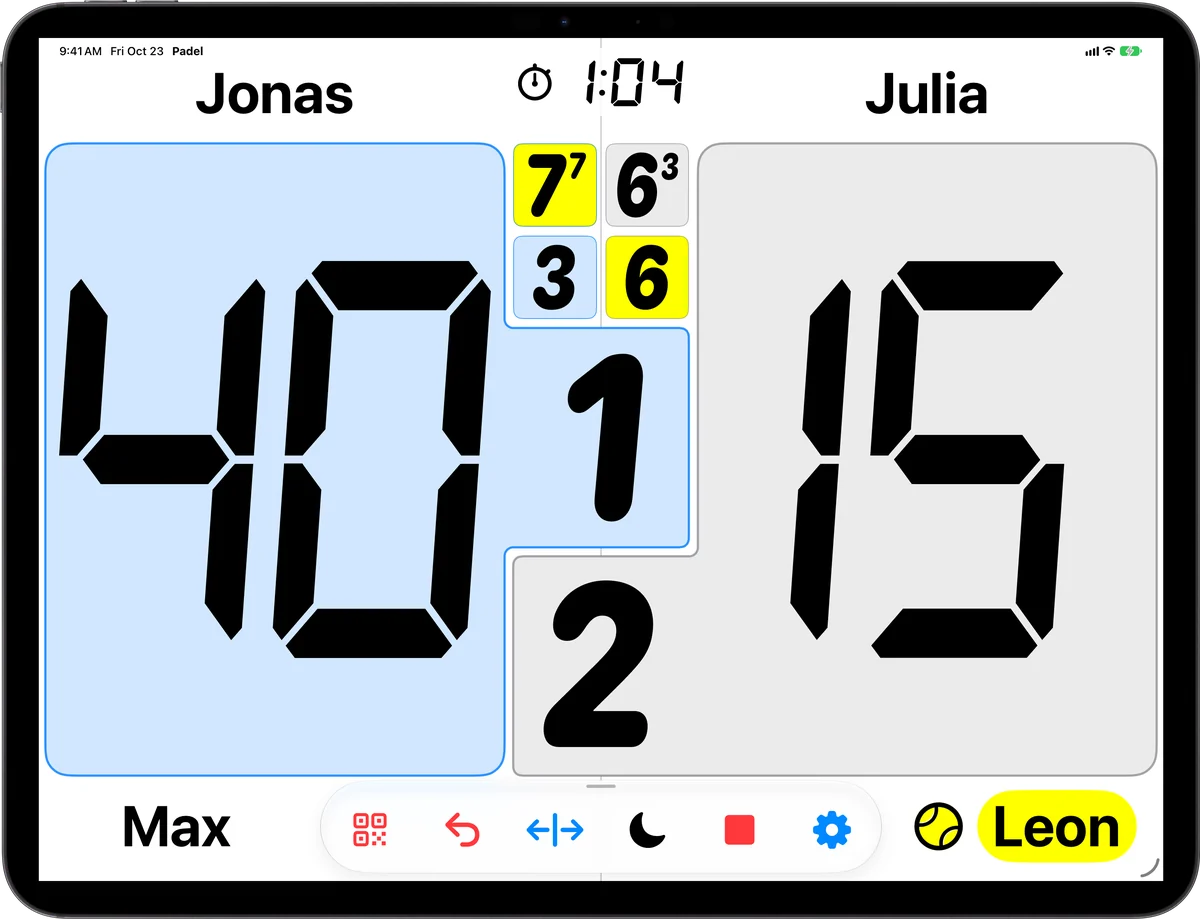
Points, every set's games and the server, readable from the far baseline.
Hang a tablet on the fence and everyone on court can read the score. Score directly on it, or connect a watch or phone and use the tablet as a big display.


iPadOS 17 or later · Android tablets · free download

Points, every set's games and the server, readable from the far baseline.
Changeover and set-break countdowns show the games of every set and the next server.
Connect an Apple Watch or a phone, and the tablet becomes the display for every point.
Tap a team's score card; touch and hold to set a score by hand. Switch touch off to use it as a display only.
Five templates, team colours, light or dark mode and a choice of score fonts.
The tablet calls the score through its speaker or a Bluetooth speaker.
On the iPad, tap the QR button in the bar and scan the code with the iPhone (the scanner is in the sharing sheet of the Community tab), or type the key. An Apple Watch connects by Bluetooth – turn Bluetooth on for both. From then on, every point you score on the wrist or the phone appears on the big screen.
Two options keep the board in line with the court: Serving team on the left always shows the serving team's score on the left, and automatic side swap turns the board around at every change of ends.
Android tablets work with the PadelCounter Android app and Wear OS watches.
Yes, as long as it runs iPadOS 17 or later.
Yes. Connect the Apple Watch to the iPad by Bluetooth, and every point scored on the wrist appears on the big screen.
Yes – tap a team's score card. Turn the touch buttons off if the tablet should only display the score.
Yes. Open the web scoreboard in the TV's browser and enter the match key.
Scoring is free. Templates, automatic side swap, timers and the announcer are part of Pro, with a free trial for new players.
Free download for iPhone, iPad, Apple Watch, Android, Wear OS and Garmin. Scoring is free.